Protect a Linux webserver with an htaccess file
Created: 2019-03-25 00:23:37 | Last modified: 2022-10-04 03:46:44 | By: NovaAccess: Read | Visibility: Public, Users | Views: 127 | Rating: +1 | Tags: secure directory htaccess htpasswd secure apache directory
When running Apache or Nginx, you can protect a website directory using an .htaccess and .htpasswd file
When running Apache or Nginx, you can protect a website directory using an .htaccess and .htpasswd file. This is useful for restricting access to a particular file. To do this you generally need console/CLI access to the Linux server to generate the password. However if you only have FTP access to the web server, you might be able to find an online version, google "online htpasswd"
Create the htaccess file
cd /home/directory/public_html/directory #Move to the directory you wish to secure
vim .htaccess #Edit the file, and paste the text below (change for your directory requirements and username)

AuthUserFile /home/directory/public_html/directory/.htpasswd
AuthGroupFile /dev/null
AuthName "Secure Document"
AuthType Basic
require user user1
require user user2
Create the htpasswd file to add users
When you run this tool, it will ask for a password for each of the users and append them to the .passwd file
htpasswd -c .htpasswd user1
htpasswd -c .htpasswd user2
Set the permissions on each of the files you have created
You do this to secure the files from external viewing
chmod 644 .htaccess
chmod 644 .htpasswd
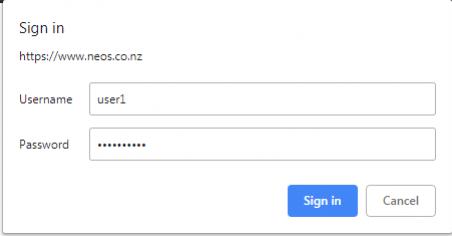
Now when you try to visit that page inside your web browser, you should get something similar to following;